Really shoot
Album Aster is a Mac app that reads the camera details already stored with your photos and turns them into clear, bold charts: which cameras and lenses you use, which focal lengths you keep coming back to, how much you shot each year, and where.
Coming soon to the Mac App Store
Requires macOS 15 or later. Free.
Eight ways to look at your library
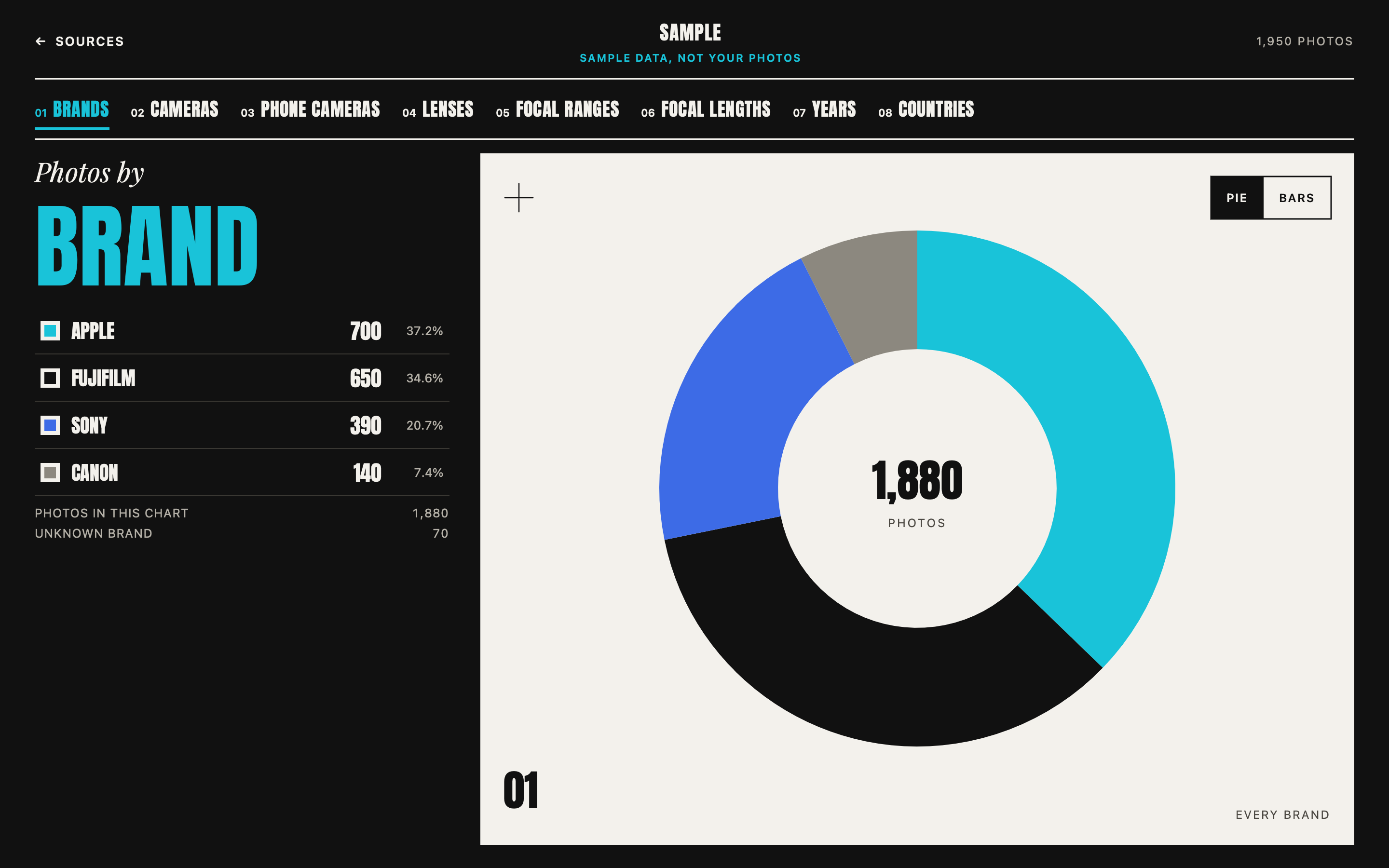
How your photos split between camera makers.
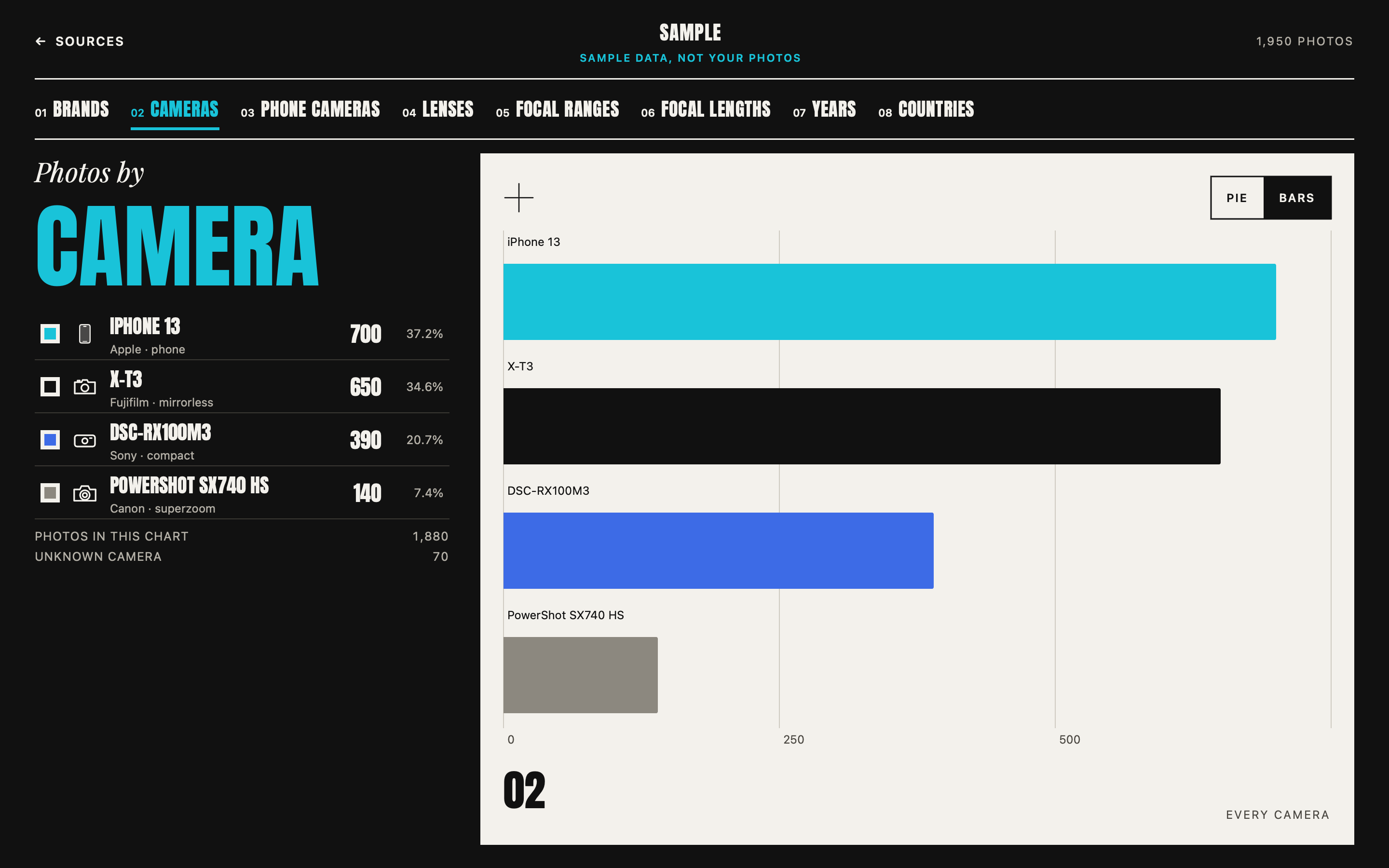
Every body and phone you have shot with.
Main, ultra wide or front.
The ones that earn their place in the bag.
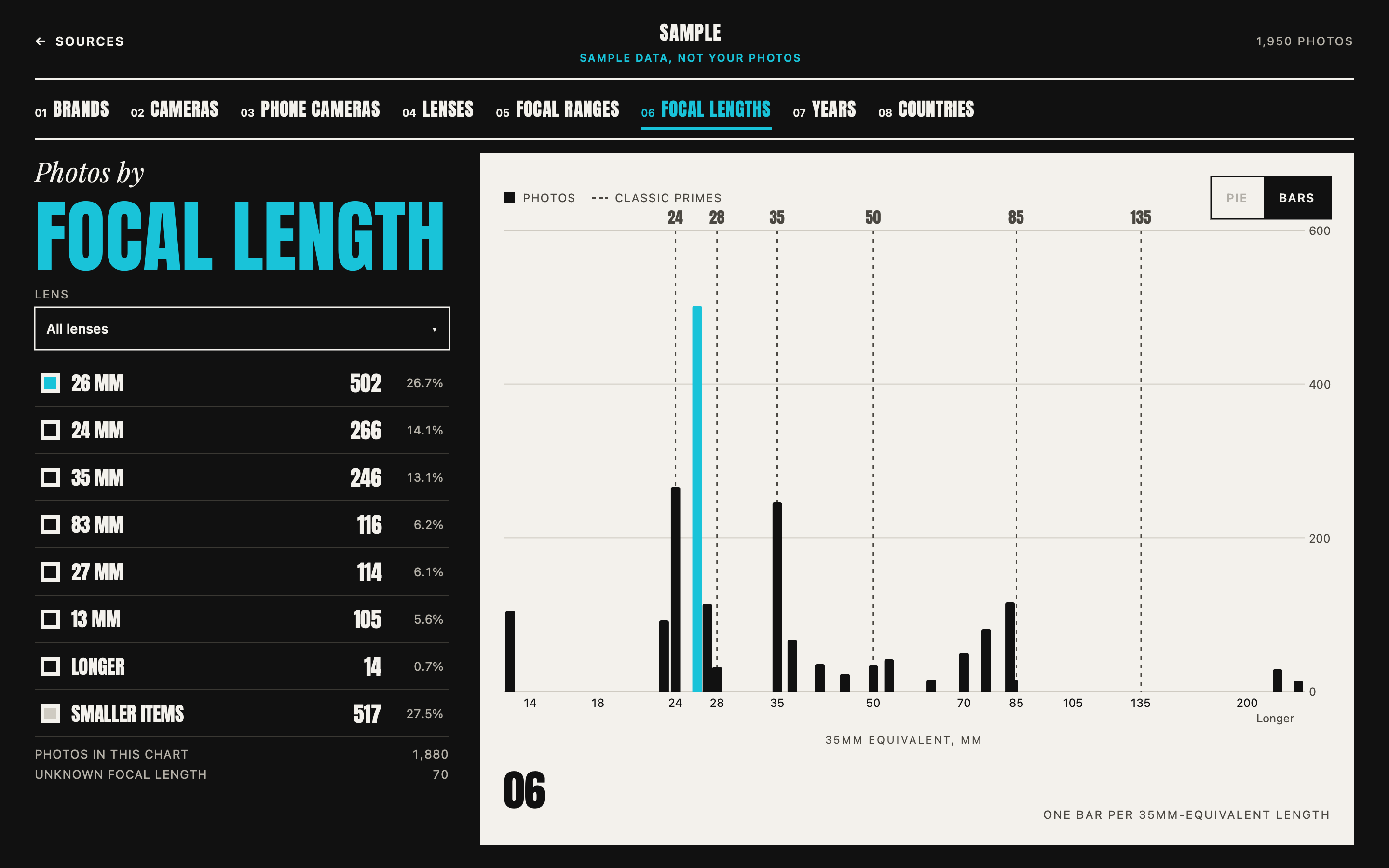
Wide, normal or telephoto.
Every millimetre on one scale, with the classic primes marked.
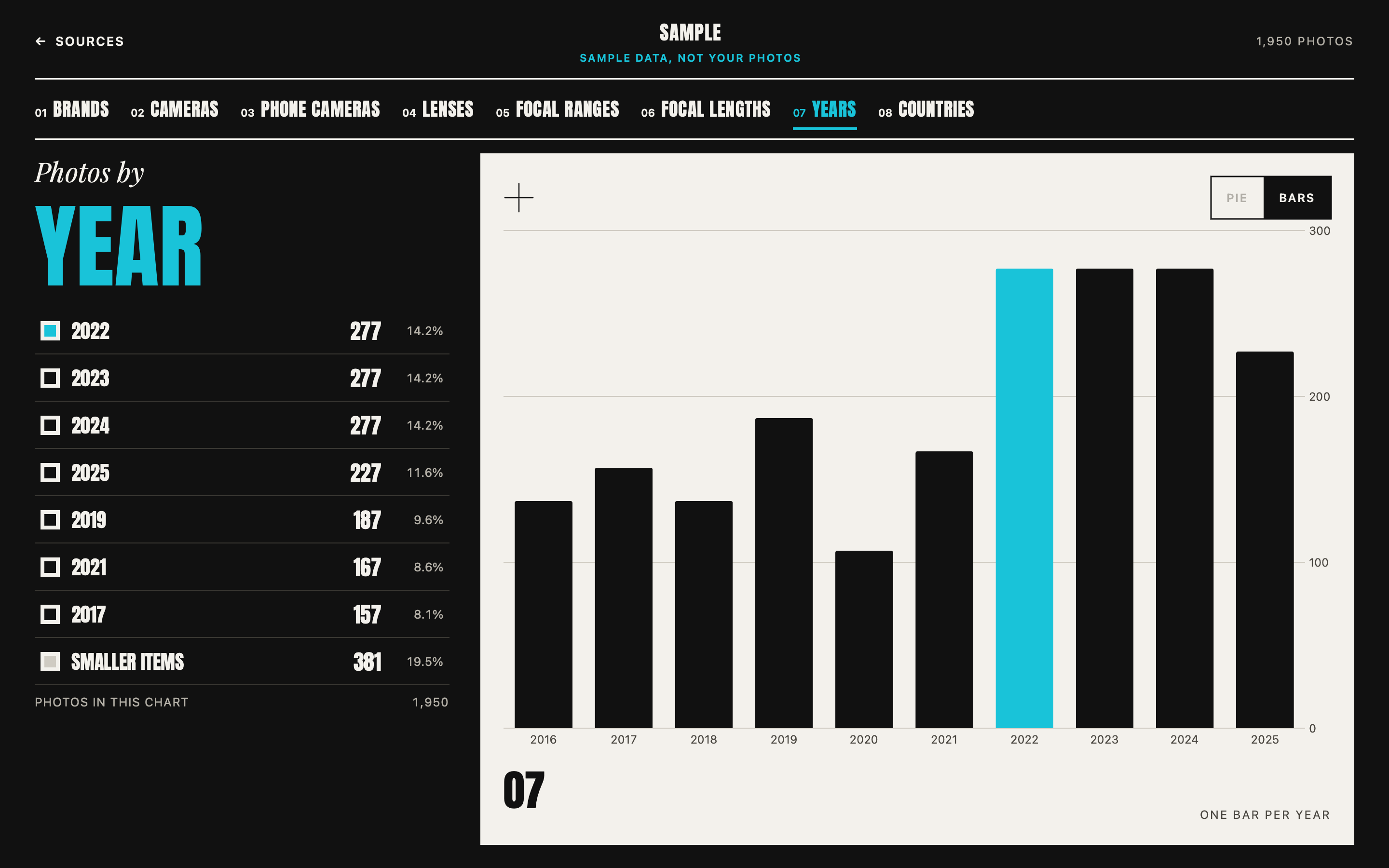
How much you shot, year by year.
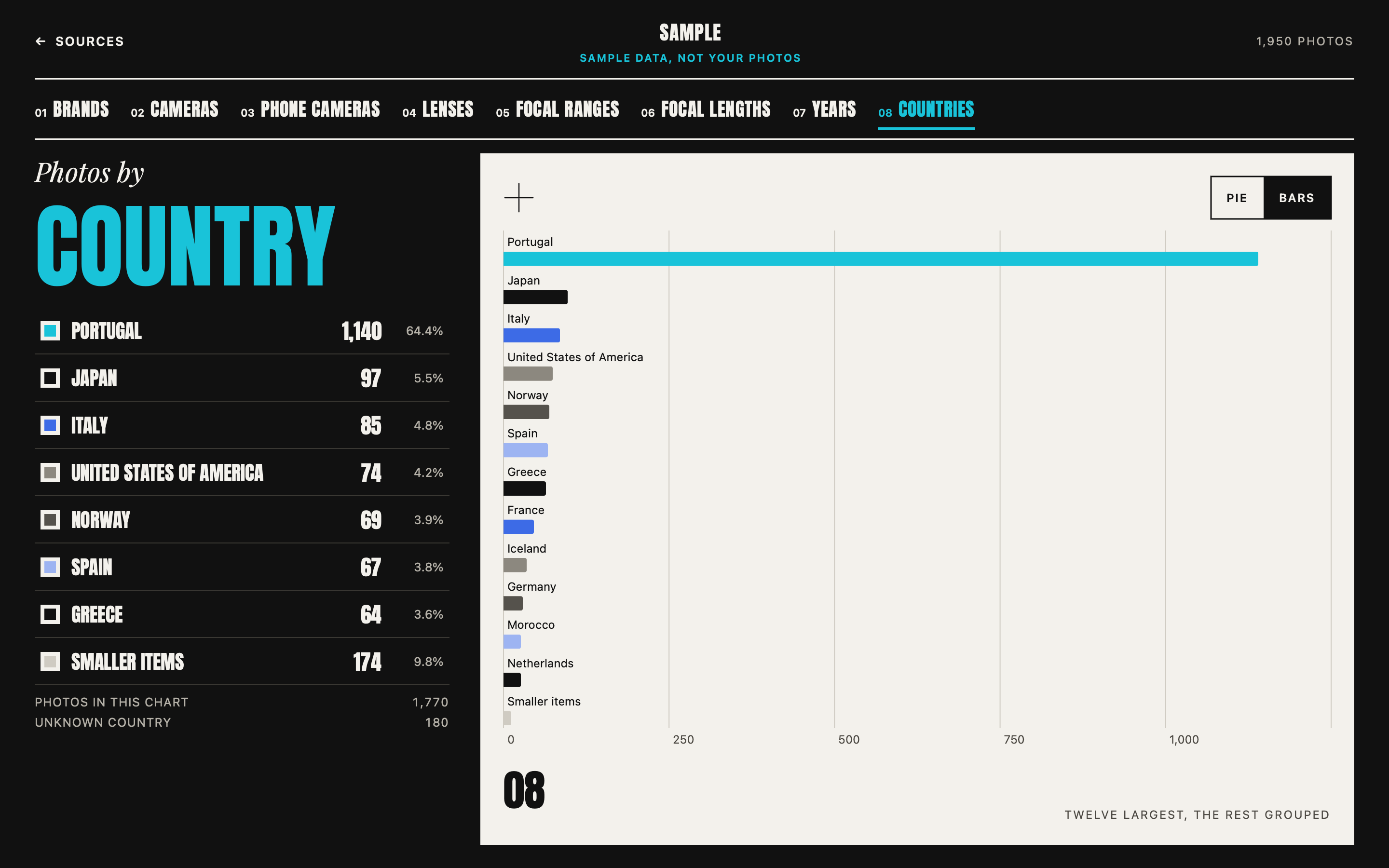
Where your photos were taken.
Three kinds of source
- Your Photos library on this Mac.
- An Adobe Lightroom library (the cloud-based Lightroom; Lightroom Classic catalogs are not supported yet).
- Any folder of photos, including RAW files.
Scan one source or several, then open All sources to see them together.
Private by design
- Nothing leaves your Mac. No account, no analytics, and no network access at all.
- It only reads. Your libraries and folders are never changed.
- iCloud originals are never downloaded.
- Reset removes everything the app has stored, in one click.
What it looks like
These screens show the built-in sample library, not anyone's real photos.
Adobe and Lightroom are trademarks of Adobe Inc. Album Aster is not affiliated with or endorsed by Adobe.